ACE PICKLEBALL CLUB - FLEX LEAGUES
Connecting DUPR to your APC Account


Background on DUPR

Signing up for a DUPR Account

Linking your DUPR Account to your APC Home Club
Background on DUPR
DUPR is a pickleball rating system that is used (along with other variables) by APC to help place players into the correct playing level for events such as our Championship Series tournaments and our APC Flex Leagues.
As players play in more matches where the score results are reported to DUPR, their DUPR rating becomes more reliable. According to DUPR, a DUPR rating is considered “reliable” when the reliability rating of a person’s DUPR score is at 60% or higher.
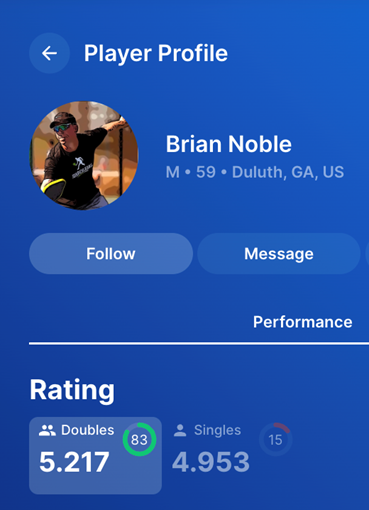
When viewing a player’s DUPR profile (as seen below) you can see the DUPR rating and the DUPR reliability score (the green circle - 83) on that profile page. It is important to consider the raw DUPR rating AND the DUPR reliability when assessing a player’s true potential. If the reliability rating is less than 60%, DUPR does not consider that rating to be “reliable”
Signing Up for a DUPR Account
Step 1) If you do not have a DUPR account yet, click here to go to DUPR and create an account. You will see the screenshot image below.
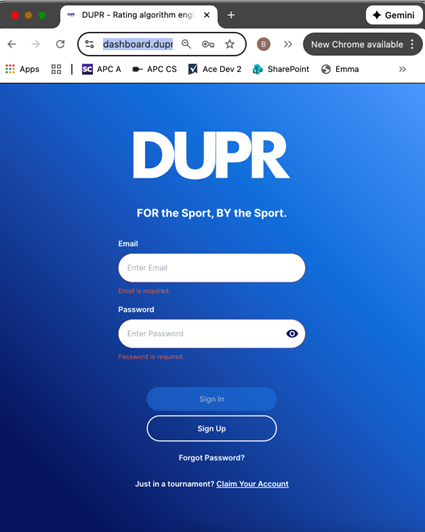
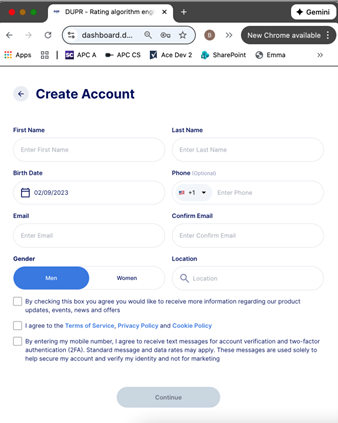
Step 2) Click the Sign Up button and then complete your information on the following screen and click “Continue”.
Step 3) Enter a password to use for your DUPR account, then click “Submit”
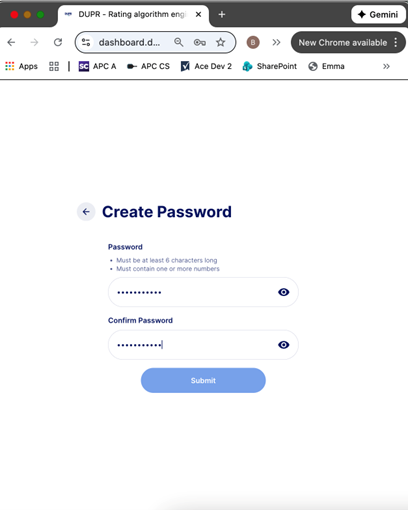
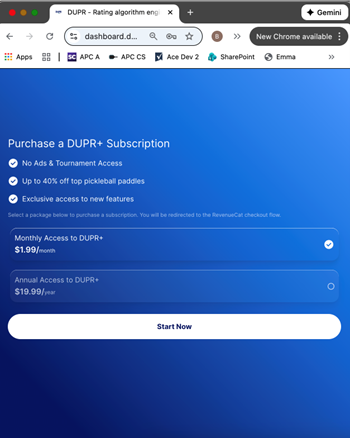
Step 4) Follow the process to validate your email address by following the instructions contained in an email you will receive from DUPR. Once you have completed that process, click “Already Validated” on the DUPR page and you will be taken to the screen below. This next screen is purely a marketing ploy DUPR used to try to get you to commit to a DUPR subscription that is NOT required. If you wish to bypass this step and not subscribe to an upgraded DUPR app plan, skip to the next step listed below.
Step 5) To get off this page, simply enter “mydupr.com” into the search bar on your web browser and you will be redirected to your DUPR account without the need to purchase any subscription.
Linking your DUPR Account to your APC Home Club
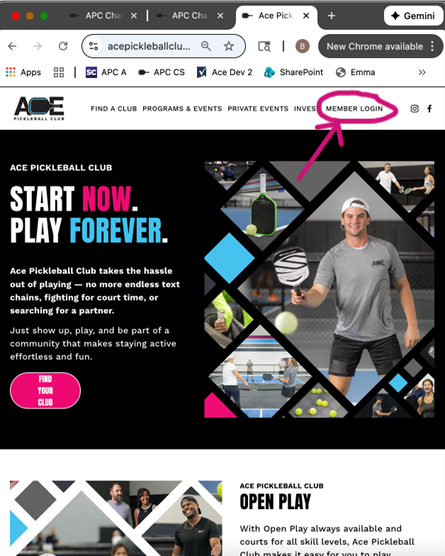
Step 1) Go to acepickleballclub.com and then click on the Member Login menu item (circled in the image below) on the APC Home Page
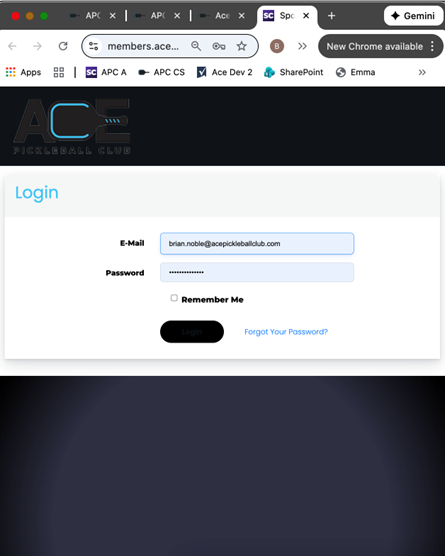
Step 2) Enter your email login and your password for your Ace Pickleball Club account as seen on the screen below.
Step 3) From the Screen below, select “Link DUPR Account” button (circled in the image below)
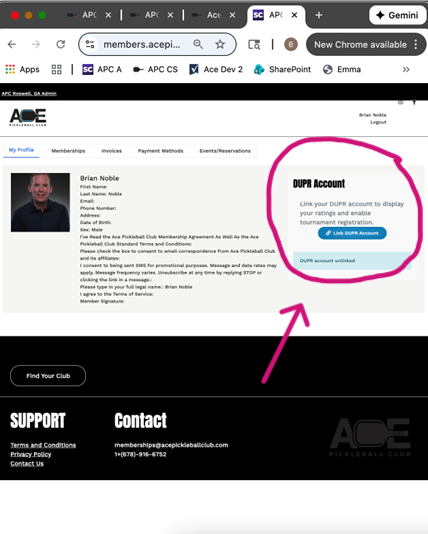
Step 4) Click the Sign In button from the DUPR log in page as shown below.
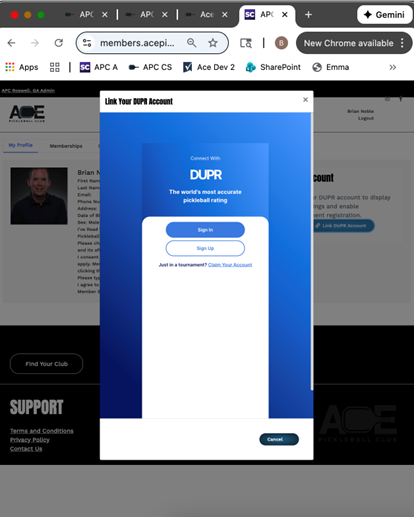
Step 5) Enter your DUPR ID and Password into the screen below and click the “Login” button.
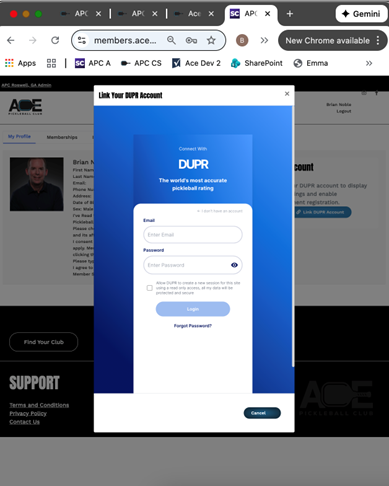
Step 6) You should see the following page indicating that your DUPR account has been linked to your Ace Pickleball Club.
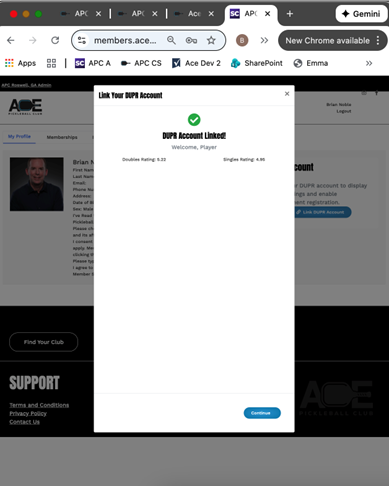
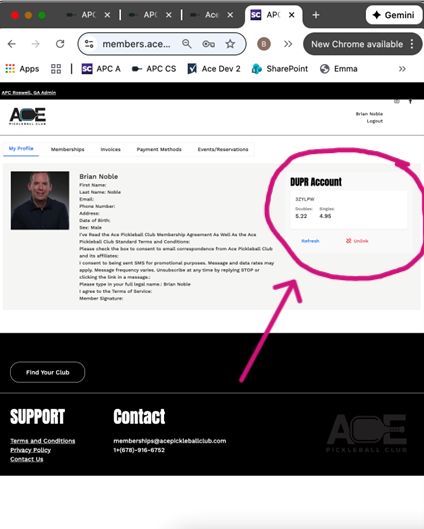
Step 7) Click “Continue” on the page shown above and you will be taken back to your Ace Pickleball Club account where you will now see your DUPR account info presented on your Profile page. When you see the screen below, your process is complete.